
Free Online Document Tools: Roman Numerals and PDF Merging in 2026
Paperwork rarely announces itself in advance. One minute you are drafting a report, the next you need to number a book’s front matter correctly or combine five separate PDFs into a single clean file before a deadline. Free online document tools exist for exactly these moments, handling fiddly formatting jobs in seconds so you never have to reinstall bulky software or fight with a manual method. In this guide we look at two quiet workhorses of 2026: a converter that translates numbers into Roman numerals, and a merger that stitches PDFs into one tidy document.
Why Lightweight Document Tools Are Worth Keeping Handy
The tasks these tools solve are small but surprisingly frequent, and doing them by hand is slow and error-prone. Getting Roman numerals wrong on a certificate or a book’s introductory pages looks unprofessional, and manually combining PDFs by printing and rescanning wastes both time and paper. Digital tools remove that friction entirely. As the U.S. Library of Congress notes, PDF remains a cornerstone format for reliable document sharing, which is exactly why keeping the right PDF utilities close pays off.
The Two Tools in Focus
- A Roman numeral converter for formatting numbers the classical way.
- A PDF merger for combining multiple files into one.
Getting Roman Numerals Right Every Time
Roman numerals still appear everywhere: book chapters, movie sequels, clock faces, outlines, event names like anniversaries, and the front matter of formal documents. Converting them by hand is easy to get wrong once the numbers climb past a dozen. A roman numeral converter online takes any number and returns the correct sequence instantly, and it works in reverse too — paste a numeral and get the modern figure back.
Where a converter proves genuinely useful:
- Numbering the preface, foreword, and contents pages of a book.
- Formatting chapter or section headings in a formal report.
- Naming events, editions, or anniversaries correctly.
- Decoding numerals on old documents, monuments, and copyright dates.
A Quick Reference Table
| Number | Roman Numeral |
|---|---|
| 4 | IV |
| 9 | IX |
| 40 | XL |
| 90 | XC |
| 2026 | MMXXVI |
Combining PDFs Into One Clean File
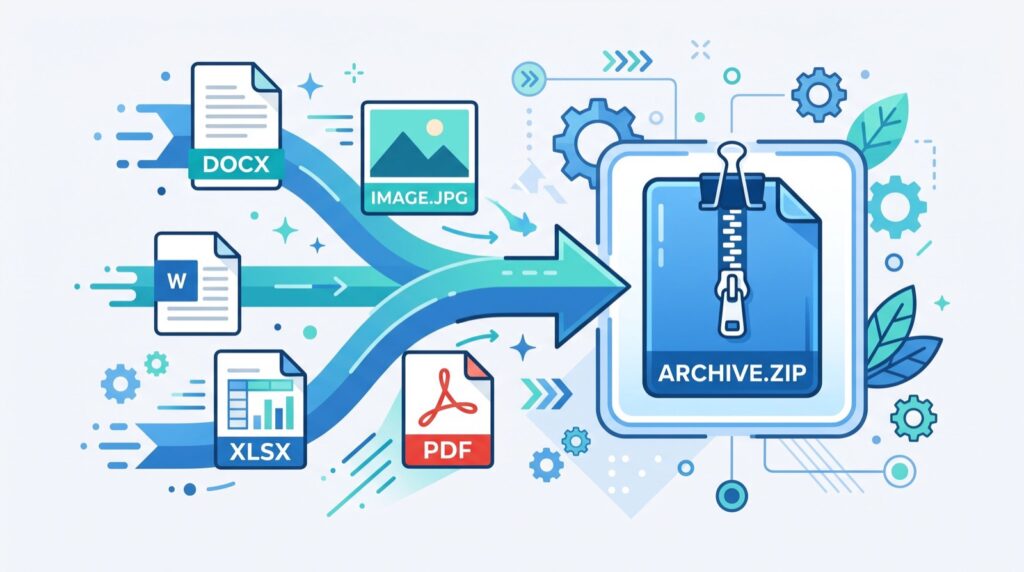
Sending someone six attachments is a recipe for confusion and lost pages. Merging them into a single document is cleaner, more professional, and far easier for the recipient. A merge PDF online tool lets you upload several files, arrange them in the order you want, and download one combined PDF — no desktop software required.
Common merging jobs:
- Combining an invoice, a receipt, and a contract into one record.
- Assembling a portfolio from separately exported pages.
- Merging scanned document pages into a single file.
- Bundling a report with its appendices before sending.
A Simple Merging Workflow
- Gather every PDF you want to combine in one folder.
- Upload them to the merge tool.
- Drag the files into the correct reading order.
- Download the single merged file and check the page sequence.
How Do These Tools Compare?
| Feature | Roman Numeral Converter | PDF Merger |
|---|---|---|
| Primary job | Convert numbers to numerals | Combine PDFs into one file |
| Input | A number or numeral | Multiple PDF files |
| Output | The converted value | One merged PDF |
| Best moment | Formatting formal text | Before sending documents |
| Cost | Free | Free |
For document workflows that grow complex — think regulated records or large-scale archiving — it is worth consulting dependable specialists. But for everyday formatting and merging, these free tools do the job in moments.
Understanding Roman Numerals a Little Deeper
Roman numerals are built from seven core symbols: I, V, X, L, C, D, and M, representing 1, 5, 10, 50, 100, 500, and 1000. The system combines these using two simple principles. When a smaller symbol follows a larger one, you add the values together, so VI is 6. When a smaller symbol precedes a larger one, you subtract, so IV is 4. This subtractive shortcut is what trips people up, because only certain pairs are allowed — I before V and X, X before L and C, and C before D and M. A converter enforces these rules automatically, which is why it beats mental math for anything beyond the simplest figures.
Because the numerals carry a formal, timeless feel, they remain popular for occasions that want to signal permanence and prestige. Watchmakers still engrave them on premium dials, publishers still use them for the opening pages of books, and film studios still stamp them on release credits. Knowing the rules is useful, but having a converter on hand means you never have to second-guess a long sequence again.
Building a Reliable Paperwork Routine
The real value of document tools shows up when you fold them into a repeatable routine rather than reaching for them in a panic. Keep a small, trusted set bookmarked and use them the same way every time. A consistent process reduces mistakes, speeds up delivery, and makes your output look more professional to clients and colleagues alike.
A dependable weekly document routine might look like this:
- Collect loose files into clearly named folders as you go, not at the last minute.
- Standardize your numbering and formatting conventions across every document.
- Merge related PDFs into a single deliverable before you hit send.
- Keep a master copy of merged files in case you need to re-order pages later.
None of these steps takes more than a moment, yet together they turn document handling from a recurring headache into a quiet, automatic part of your day. That is the quiet power of free utilities: they do not just save minutes, they lower the mental cost of getting formatting right.
Frequently Asked Questions
Can a Roman numeral converter handle large numbers?
Yes. A good converter follows the standard subtractive rules and can handle values well into the thousands, returning the correct sequence such as MMXXVI for 2026 without any manual counting.
Will merging PDFs change the quality of my pages?
No. Merging simply combines the existing pages into one file; it does not re-compress or degrade the content, so your text and images stay exactly as they were.
Is there a limit to how many PDFs I can merge?
Most free mergers handle a generous number of files at once. For very large batches, you may merge in groups and then combine the results, which keeps everything fast and reliable.
Do these tools require installation?
No. Both the Roman numeral converter and the PDF merger run entirely in your browser with no download or account needed.
Conclusion and Next Steps
Small formatting tasks should never derail your day, and free online document tools make sure they do not. A Roman numeral converter gets your numbering right the first time, while a PDF merger turns a pile of files into one polished document in seconds. Bookmark both, keep them within reach for 2026, and let them handle the fiddly work while you focus on the content that matters. Try merging your next set of files or converting a number today and feel how much smoother your paperwork becomes.